## Chocolat [![Build Status](https://travis-ci.org/nicolas-t/Chocolat.svg?branch=master)](https://travis-ci.org/nicolas-t/Chocolat)
-----------
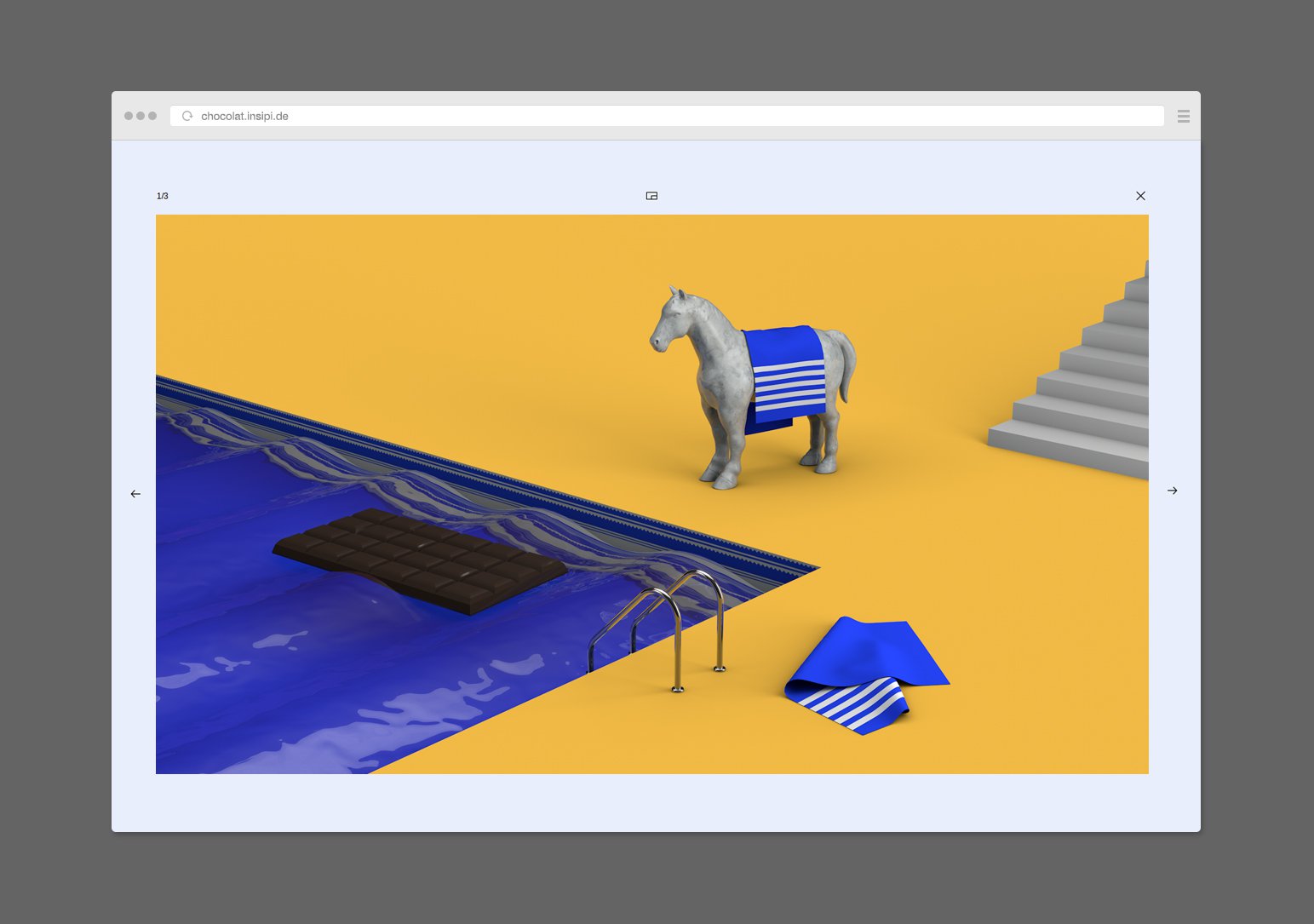
Chocolat is a responsive lightbox  
What you are looking for is in the `/dist/` folder.  
[Demo page is here](http://chocolat.insipi.de/#demo)
  
[![Image of Chocolat](http://full.ouplo.com/10/9/jzbY.jpg)](http://chocolat.insipi.de/#demo)


## Installation
You can install chocolat as a node module    
(css from node_modules has to be linked in your html file anyway)
```
yarn add chocolat
```
or
```
npm install chocolat
```

Or the old school way by linking `dist/js/jquery.chocolat.js` and `dist/css/chocolat.css` to your html file  


## Markup
-----------
```html
<div id="example1" data-chocolat-title="Set title">
    <a class="chocolat-image" href="img/a.jpg" title="image caption a">
        A <!-- you can display a thumbnail here : <img src="thumb/a.jpg" /> -->
    </a>
    <a class="chocolat-image" href="img/b.jpg" title="image caption b">
        B <!-- you can display a thumbnail here : <img src="thumb/b.jpg" /> -->
    </a>
</div>
```

```js
$(document).ready(function(){
    $('#example1').Chocolat();
});
```

## Documentation
-----------

### Parameters
| Name          | Default             | Description                                                                                                                                                                                                                                                                                                                                                                                                                                                                                                                                                                                                                                                                                                  |
|---------------|---------------------|--------------------------------------------------------------------------------------------------------------------------------------------------------------------------------------------------------------------------------------------------------------------------------------------------------------------------------------------------------------------------------------------------------------------------------------------------------------------------------------------------------------------------------------------------------------------------------------------------------------------------------------------------------------------------------------------------------------|
| container     | `window`            | Sets whether viewer will open and fill the whole page (`default`), or whether it should open in a particular block of the page. For example ` #container2`, in this case the height and width of the block must be defined.values can be : window, selector, jQuery element, or a node                                                                                                                                                                                                                                                                                                                                                                                                                       |
| imageSelector | `'.chocolat-image'` | Selector to find images in the parent element (on which chocolat is called)                                                                                                                                                                                                                                                                                                                                                                                                                                                                                                                                                                                                                                  |
| linkImages    | `true`              | Sets whether we can switch from one image to another, within the same call, without closing the viewer (`true`) , or if the images remain independent (`false`). <br> Warning: if `LinkImage`: is `false` then `displayAsALink` must be worth `false` too. <br>Otherwise we can only view the first image in the set.                                                                                                                                                                                                                                                                                                                                                                                               |
| setTitle      | `''`                | Title of the set. Can also be defined from the html, with the `data-chocolat-title` attribute                                                                                                                                                                                                                                                                                                                                                                                                                                                                                                                                                                                                                |
| className     | `''`                | Add a custom css class to the parent of the lightbox                                                                                                                                                                                                                                                                                                                                                                                                                                                                                                                                                                                                                                                         |
| imageSize     | 'default'           | Can be `'default'`, `'contain'`, `'native'`, or `'cover'`. <br>`default` : if the image is bigger than the window it's resized to fit, else if the image is smaller than the window it's not streched, only displayed at native dimensions. <br>`'contain'` : if the image is bigger than the window it's resized to fit, else if the image is smaller than the window it's streched, to fit the window. <br>`'cover'` : the image cover the window, no white space are displayed. More informations & exemple about contain/cover [here](https://developer.mozilla.org/en-US/docs/Web/Guide/CSS/Scaling_background_images). <br>`'native'` : the image is never streched nor shrinked, always displayed at native dimensions |
| fullScreen    | `false`             | Allow fullscreen browsing (hides the browser window)                                                                                                                                                                                                                                                                                                                                                                                                                                                                                                                                                                                                                                                         |
| loop          | `false`             | Last image + 1 leads to first image & first image - 1 leads to last image.                                                                                                                                                                                                                                                                                                                                                                                                                                                                                                                                                                                                                                   |
| duration      | `300`               | Animations duration                                                                                                                                                                                                                                                                                                                                                                                                                                                                                                                                                                                                                                                                                          |
| firstImage    | `0`                 | Index of the image that you want to start the series.                                                                                                                                                                                                                                                                                                                                                                                                                                                                                                                                                                                                                                                        |
| lastImage     | `0`                 | Index of the image that you want to end the series.                                                                                                                                                                                                                                                                                                                                                                                                                                                                                                                                                                                                                                                          |
| separator2    | `'/'`               | Text between the number of the image and the number of images in the set, does not matter.                                                                                                                                                                                                                                                                                                                                                                                                                                                                                                                                                                                                                   |
| images        | `[]`                | Array of object representing the set images `[{src:'img1.jpg'}, {src:'img1.jpg'}, ...] ` <br> You can also specify image title `[{src:'img1.jpg', title: 'title'}, ..]`                                                                                                                                                                                                                                                                                                                                                                                                                                                                                                                                          |
| enableZoom    | `true`              | Disable or enable the zooming feature                                                                                                                                                                                                                                                                                                                                                                                                                                                                                                                                          |
| setIndex      | `0`                 | Set index. yes.                                                                                                                                                                                                                                                                                                                                                                                                                                                                                                                                                                                                                                                                                              |                                                                                                                                                                                                   |
| afterInitialize      | `null`                 | Function (hook) called just after chocolat gets initialized
|                                                                                                                                                                                                 |
| afterMarkup      | `null`                 | Function (hook) called just after markup is created. <br>You can use it to alter the default markup: to move the caption at the top of the image for example. <br> `$('#example').Chocolat({`<br>`    afterMarkup: function () {`<br>`        this.elems.description.appendTo(this.elems.top)`<br>`    }`<br>`});`
|                                                                                                                                                                                                 |
| afterImageLoad      | `null`                 | Function (hook) called just after the image is loaded.
|                                                                                                                                                                                                 |
| zoomedPaddingX      | `0`                 | Function returning the horizontal padding to add around the image when it's zoomed. <br> It takes 2 arguments `canvasWidth` and `imgWidth` <br> `$('#example').Chocolat({`<br>`    zoomedPaddingX: function (canvasWidth, imgWidth) {`<br>`        return canvasWidth / 2 `<br>`    }`<br>`});`
|                                                                                                                                                                                                 |
| zoomedPaddingY      | `0`                 | Function returning the vertical padding to add around the image when it's zoomed. <br> It takes 2 arguments `canvasHeight` and `imgHeight` <br> `$('#example').Chocolat({`<br>`    zoomedPaddingY: function (canvasHeight, imgHeight) {`<br>`        return canvasHeight / 2 `<br>`    }`<br>`});`
|                                                                                                                                                                                                 |

### API

###### Syntax
Call chocolat like this :
```js
$(document).ready(function(){
    var instance = $('#example1').Chocolat().data('chocolat');
});
```

Then API calls can be made like this (open for exemple):
```js
instance.api().open();
```

###### Methods
**open  :**  `param (optionnal) : i`
Open the lightbox on the image whose index is `i`.
By default on the first image (i=0).
Returns a $.Deferred object.

**close  :**
Close the lightbox.
Returns a $.Deferred object.

**prev  :**
Change image backward.
Returns a $.Deferred object.

**next  :**
Change image forward.
Returns a $.Deferred object.

**goto  :**  `param : i`
(Alias of open)  go to image whose index is `i` on an already opened ligthbox.
Returns a $.Deferred object.

**place  :**
Center the image in its parent.
Returns a $.Deferred object.

**destroy  :**
Destroy the current instance. Remove elements, unbind events, clear data.

**set  :**   `params : property, value`
Classic setter

**get  :**   `param : property`
Classic getter

**getElem  :**   `param : name`
Returns a jQuery object composing the lightbox.
Ex: for the next arrow  : `instance.api().getElem('right')`

**current  :**
Returns the index of the current image.

### CSS Classes

**.chocolat-open  :**
Set to the container when the lightbox is open.

**.chocolat-in-container  :**
Set to the container when chocolat is open in a block (`container != window`)

**.chocolat-cover  :**
Set to the container when chocolat `imageSize` is set to `'cover'`

**.chocolat-zoomable  :**
Set to the container when chocolat is zoomable

**.chocolat-zoomed  :**
Set to the container when chocolat is zoomed

## License
-----------

### Open source license
If you are creating an open source application under a license compatible with the GNU GPL license v3, you may use this project under the terms of the GPLv3.


## Contributing
-----------
Feel free to contribute by forking then making a pull request.
Edit files in the `/src/` folder, run `gulp` to copy/minify into the `/dist/` folder and to watch for changes.

## Testing
To test, run `gulp test`, if you don't have all packages installed then run `npm install`
Tests are written in `test/src/test.chocolat.coffee`


## Angular (ng-chocolat)
An angular directive of Chocolat.js exists thanks to @beuted:
https://github.com/beuted/ng-chocolat
